Connect multiple sources
Deep data profiling
AI consultant review
Cross-system analysis
Automated field mapping
Transform rules in plain English
Values the target will accept
Send only what changed
Rehearse before you load
Transformation and reconciliation
Load into the target system
Client collaboration and portal
Synthetic sample data
Portfolio overview
Capability 01
Connect multiple sources
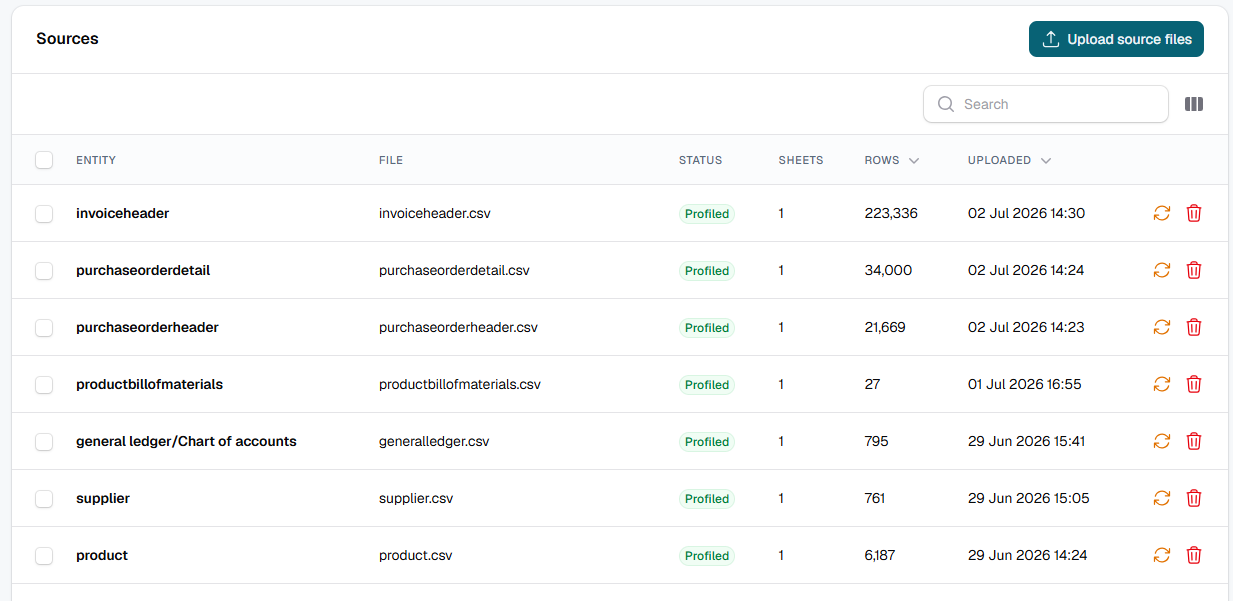
Upload CSV, XLSX or PDF, point at a SharePoint, OneDrive or Azure folder that fetches its own files, or connect live to SQL Server, MySQL, PostgreSQL and generic ODBC systems, including legacy ERPs.
01
Capability 02
Deep data profiling
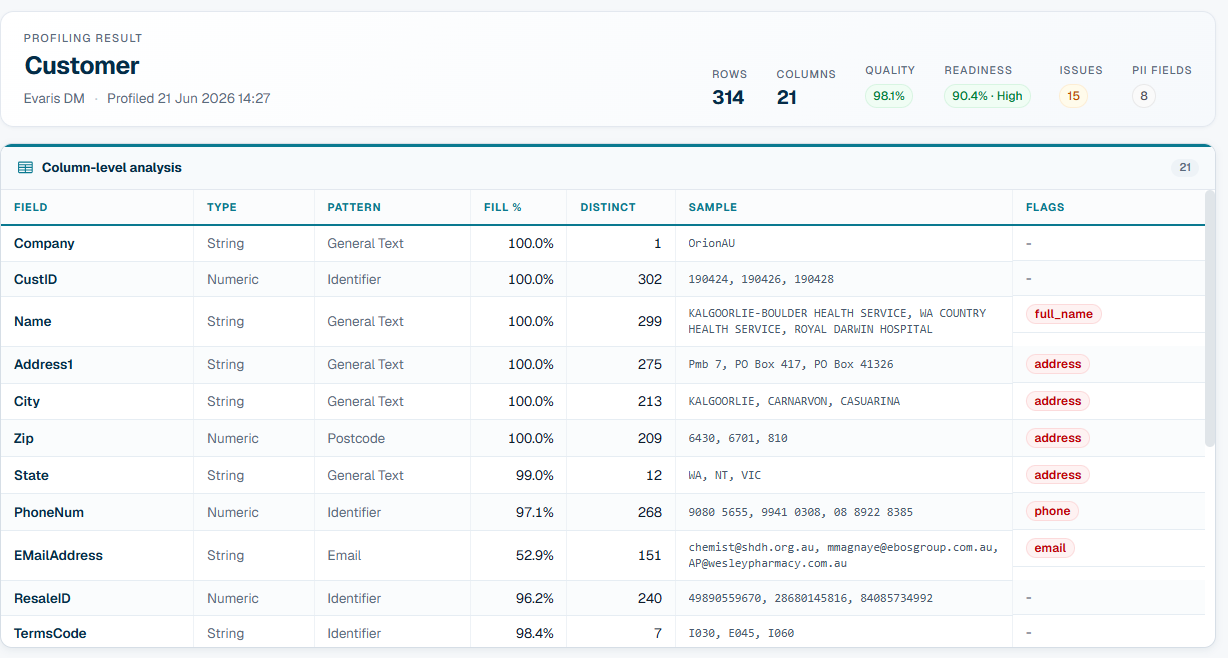
Per-column types, patterns, fill rates, distinct counts, primary-key candidates, duplicates and a data-quality score for every source, with phone columns counted by digit length before anybody converts one.
02
Capability 03
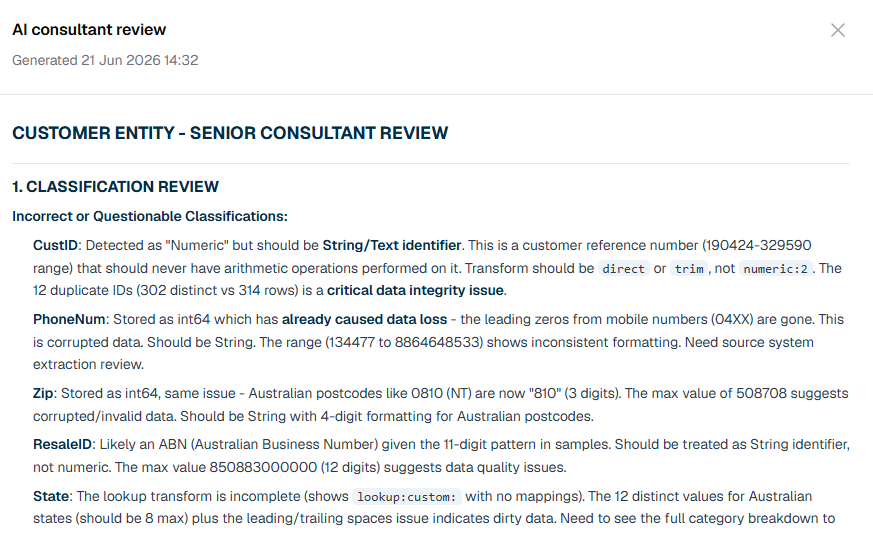
AI consultant review
A senior-consultant AI cross-validates the profiling, flags migration risks and PII exposure, and gives a clear go or no-go verdict per entity. Choose the model per project, or leave it on the house default.
03
Capability 04
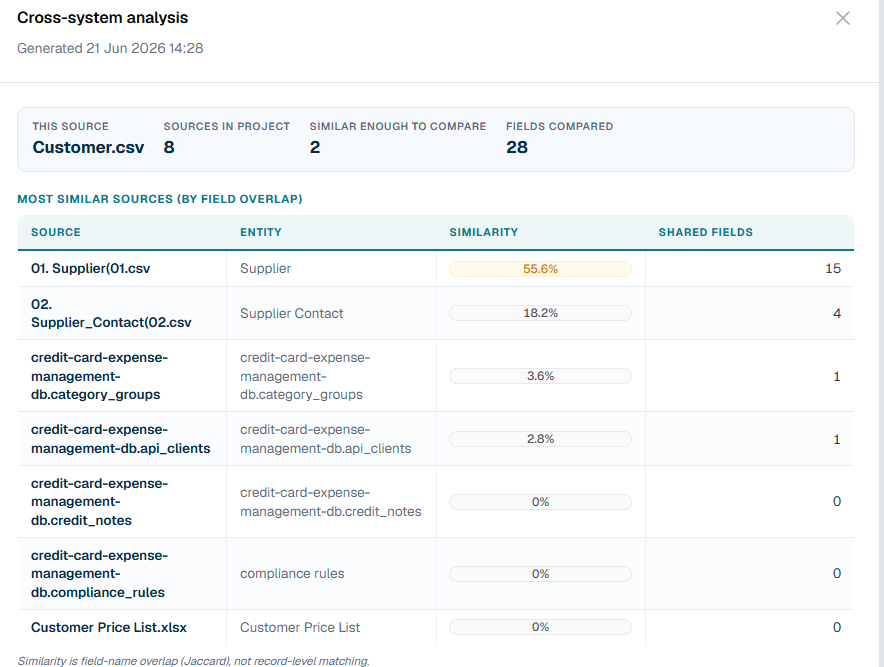
Cross-system analysis
Compares the same data across every source by field similarity, surfaces overlaps and gaps, and recommends the master source.
04
Capability 05
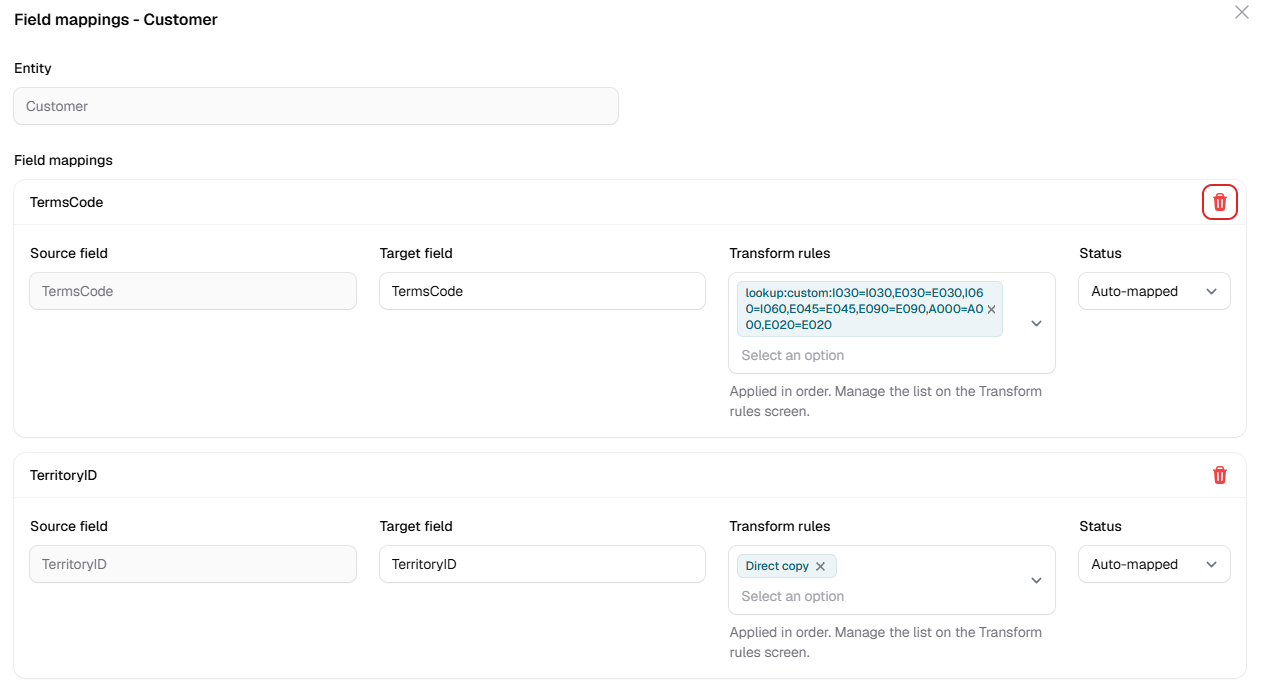
Automated field mapping
Parse the target template and map source to target fields, with LLM-proposed mappings, confidence scoring and reversible overrides. One target field can be built from several source columns.
05
Capability 06
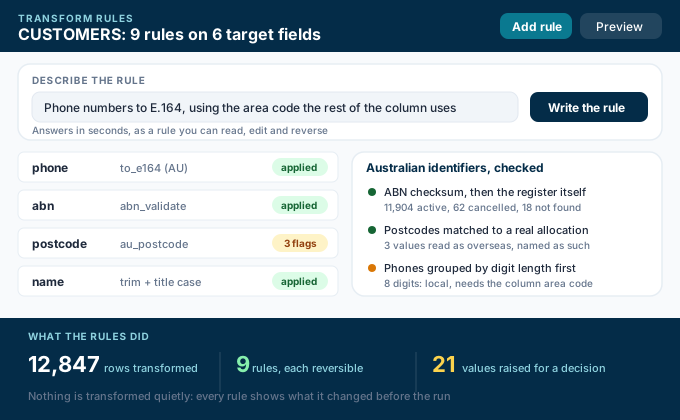
Transform rules in plain English
Describe the change and get a rule back in seconds, readable, editable and reversible. Australian identifiers are checked rather than assumed: ABNs against the register itself, postcodes against real allocations, phone numbers into E.164.
06
Capability 07
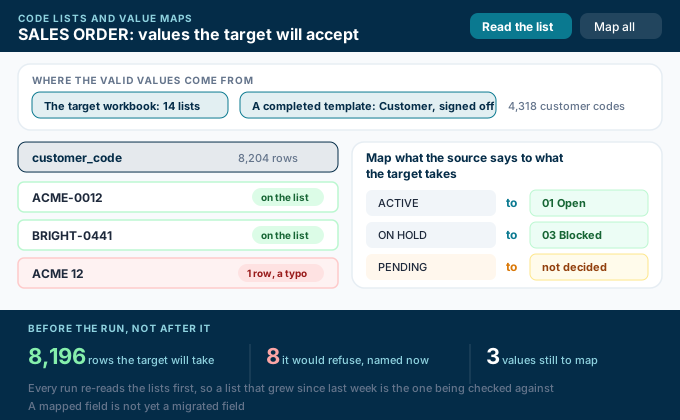
Values the target will accept
Code lists come out of the target workbook, and out of templates the project already transformed, so a sales line can only name a customer that went in with the customer load. Map what the source says to what the target takes before the run, not after it refuses.
07
Capability 08
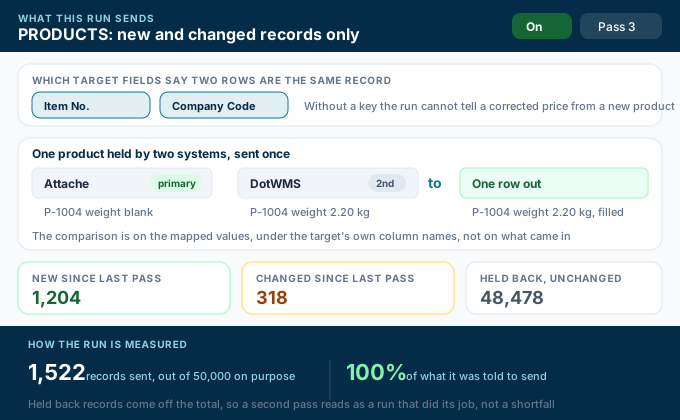
Send only what changed
Name the target fields that identify a record and a run sends only what is new or has changed since the last one. One record held by two systems goes out once, taking the system somebody made primary and letting the other fill its blanks.
08
Capability 09
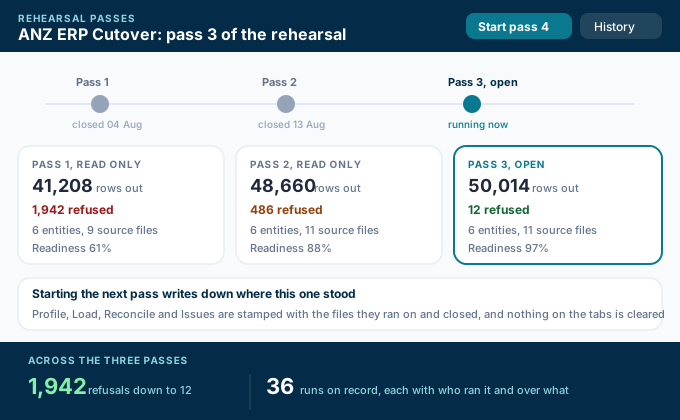
Rehearse before you load
A migration is rehearsed, and every pass is kept: starting the next one writes down where Profile, Load, Reconcile and Issues stood, with the files it ran on and its totals. Earlier passes stay readable and nothing is overwritten.
09
Capability 10
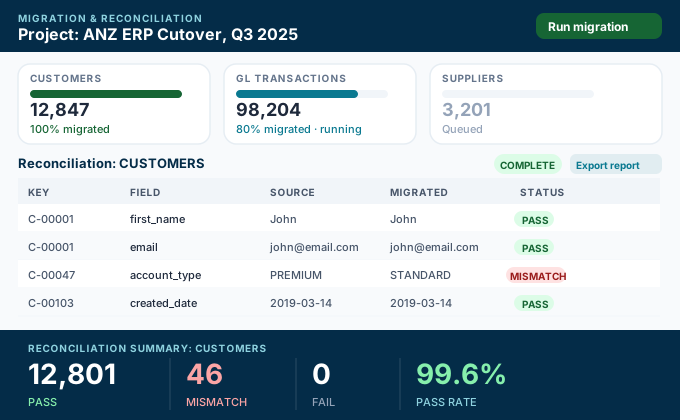
Transformation and reconciliation
Run the mapped transform, then reconcile source against transformed with pass, mismatch and fail status to confirm nothing was lost. Every run is on record with who started it, and can be undone.
10
Capability 11
Load into the target system
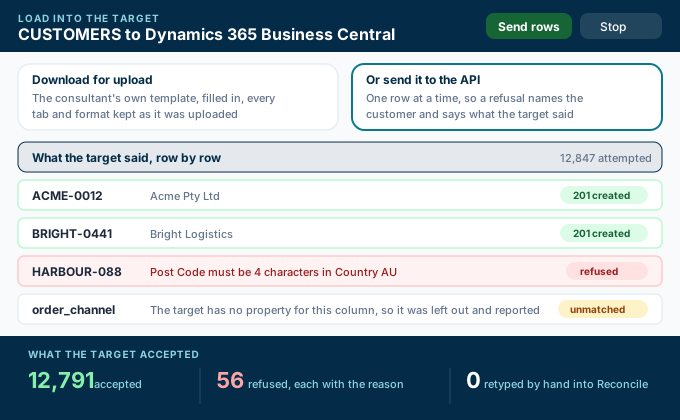
Take the filled-in template away, or send the signed-off output straight into Dynamics 365 Business Central through its own API. Rows go one at a time, so a refusal names the record and repeats what the target said instead of being retyped.
11
Capability 12
Client collaboration and portal
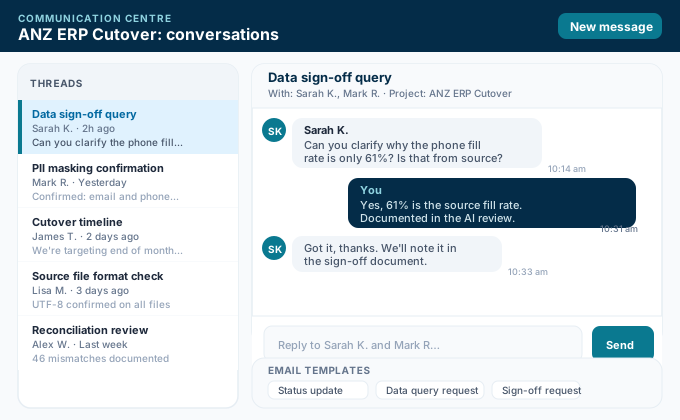
Threaded conversations with project contacts, templated emails, send and receive through your own mailbox, all logged per project. Clients follow their own migration in a portal of their own and sign off there.
12
Capability 13
Synthetic sample data
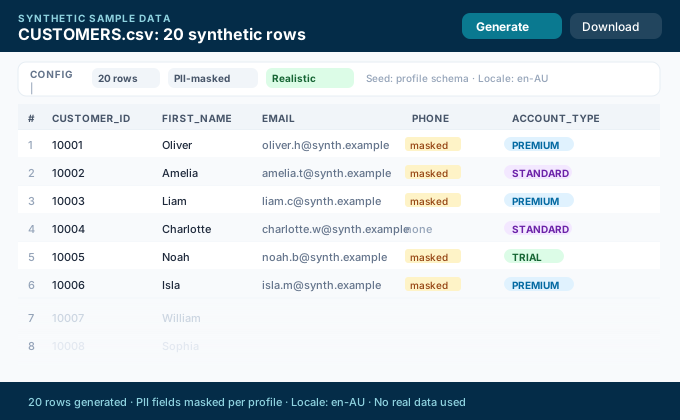
Generate realistic, PII-aware sample data straight from a profile, so testing and demos never touch real records.
13
Capability 14
Portfolio overview
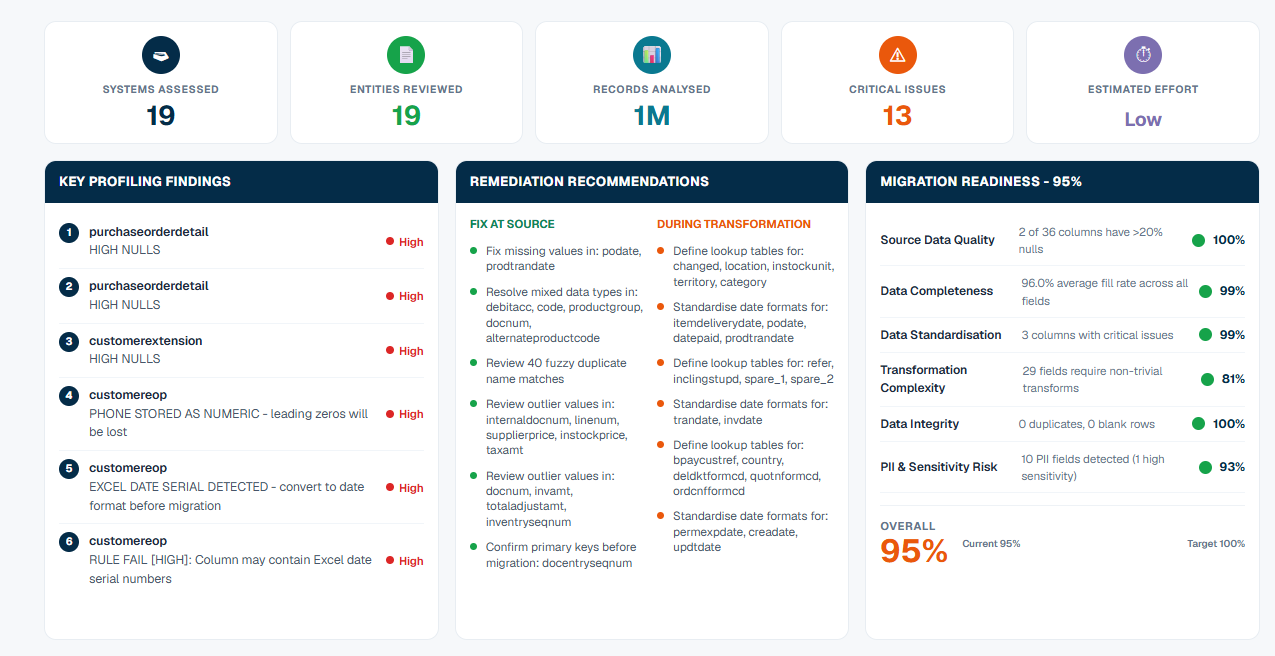
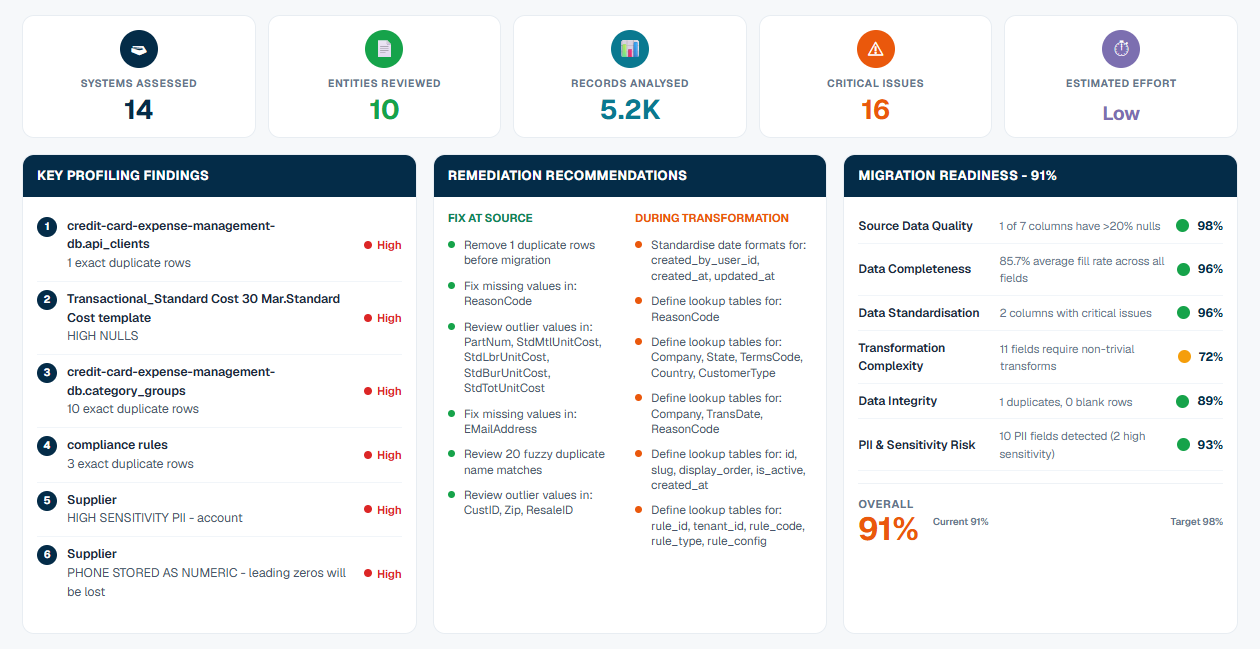
A live dashboard across every project: systems assessed, records analysed, critical issues and overall transformation readiness, with each project opening on the step it is actually on.
14